Lithuanian company details at checkout – by company code
The buyer enters a 9-digit Lithuanian company code (įmonės kodas), and the name, address and legal form fill in automatically. Your invoice carries the correct company details.
- WooCommerce checkout (classic and block), account page and any other form
- VAT number check in the EU VIES system
- Warning if a company is being liquidated or is bankrupt
The free version has no limits and needs no registration. Pro costs 99 € per year for one site.
How it works
Company data comes from the public Lithuanian Register of Legal Entities. The buyer has nothing to look up or retype.
Enter the code
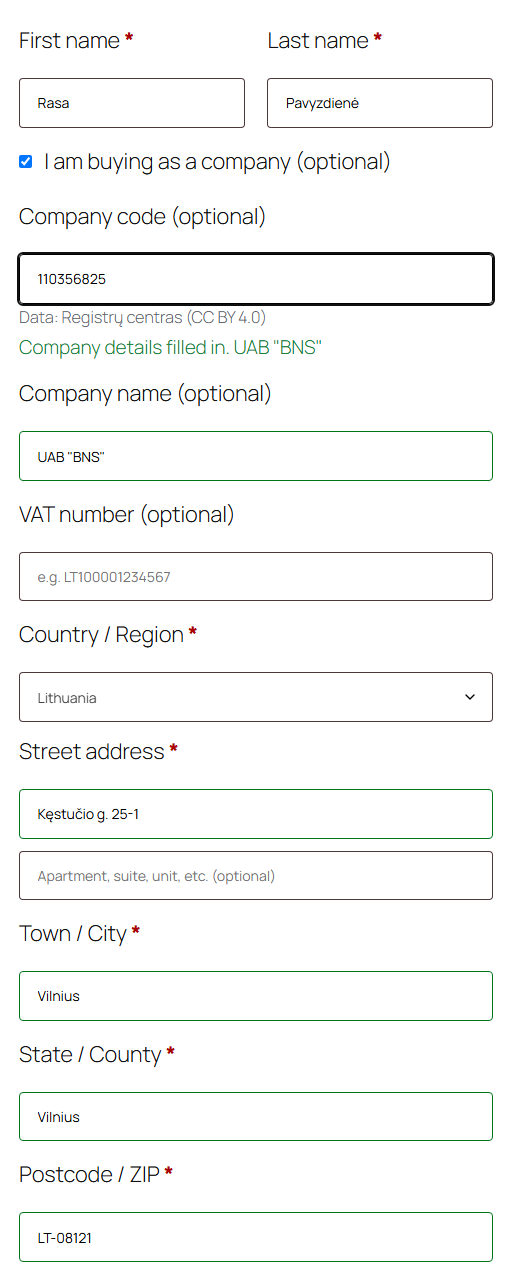
The buyer ticks “I am buying on behalf of a company” and types the company code.
Fields fill in
The name, address, city and postcode appear instantly. The plugin does not overwrite fields that are already filled in.
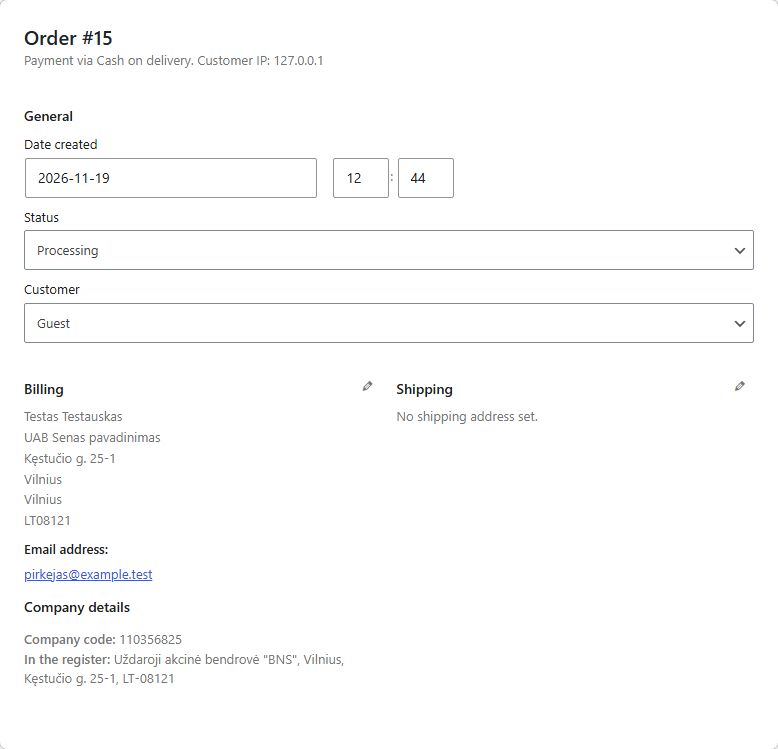
Details in the order
The company code, VAT number, VIES response and register data are saved with the order and in emails.
What it looks like
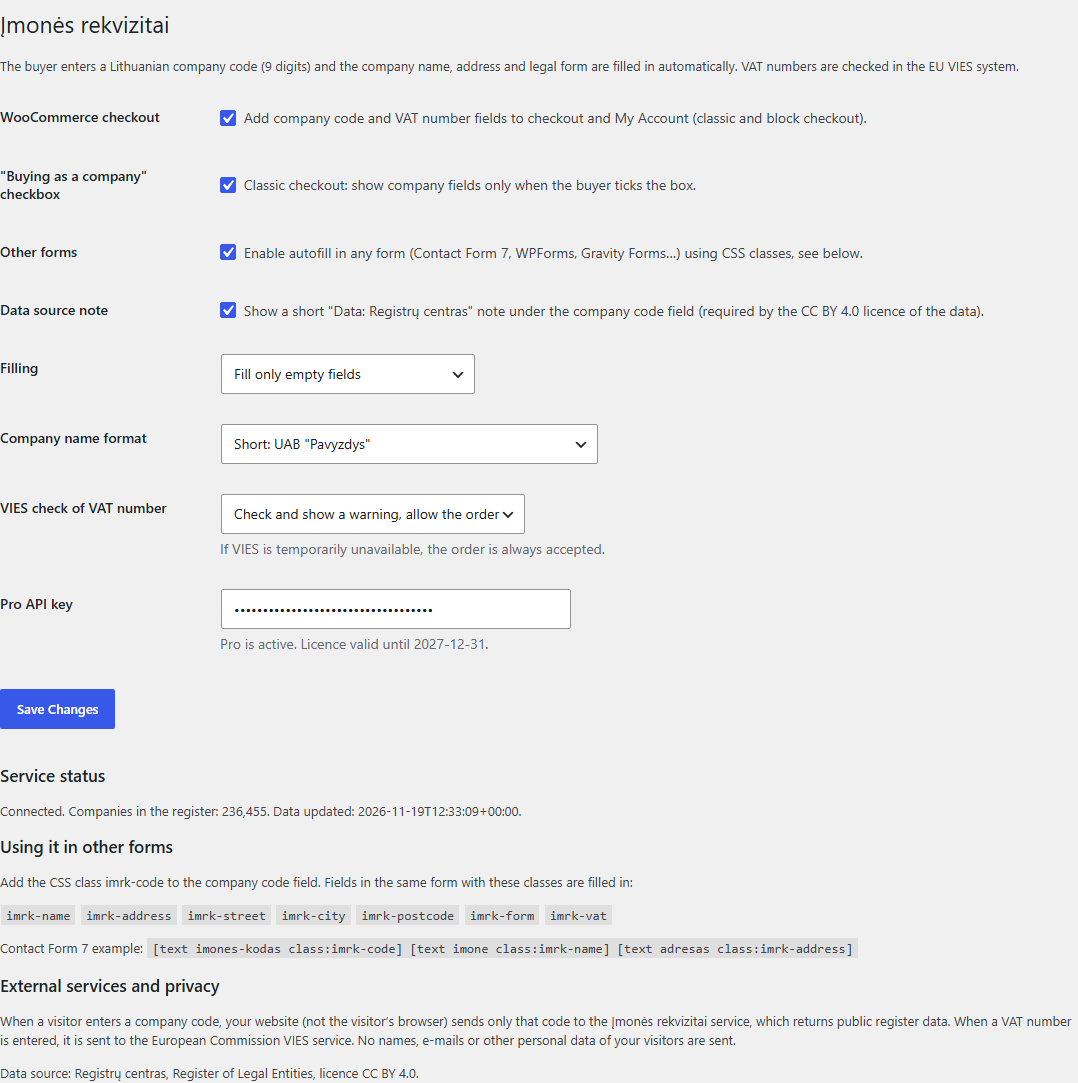
Free and Pro
The free version is fully functional and has no time limit. Pro is for shops that care about speed and have many business customers.
| Feature | Free | Pro |
|---|---|---|
| Company details by company code: name, address, legal form | Yes | Yes |
| WooCommerce classic and block checkout, account page | Yes | Yes |
| Contact Form 7, WPForms, Gravity Forms and other forms | Yes | Yes |
| VAT number check in VIES | Yes | Yes |
| Warning about liquidation or bankruptcy | Yes | Yes |
| Register data updates | weekly | daily |
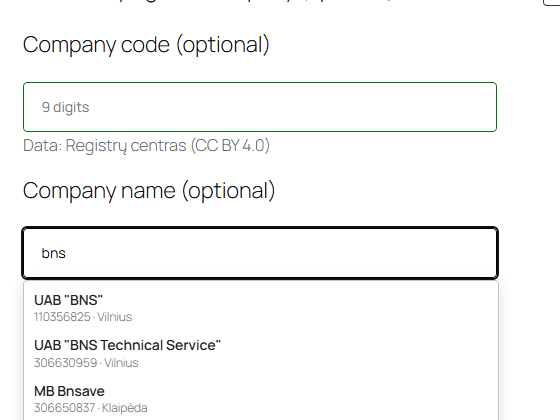
| Search by company name | – | Yes |
| Business activity (EVRK), number of employees and registration date in the order | – | Yes |
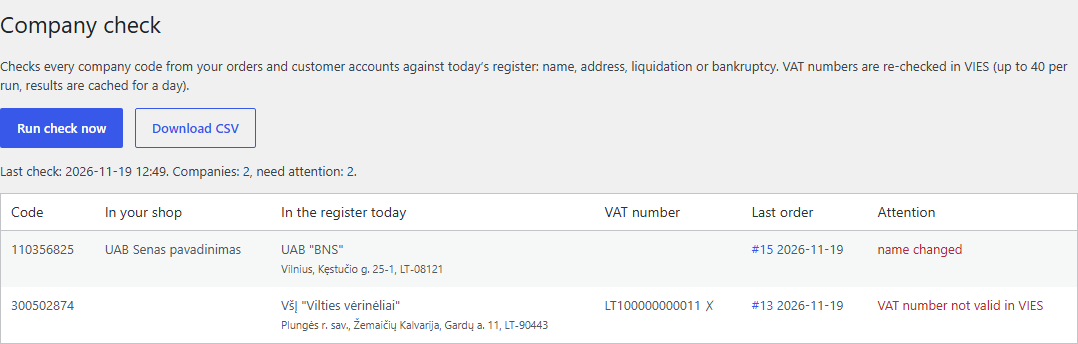
| Check of all business customers against the register and VIES, CSV file | – | Yes |
| Email support | – | Yes |
Price
Free
- No limits, no key and no trial period
- Install from the WordPress.org directory
- Support in the WordPress.org forum
Pro
- Everything in the free version
- Search by name, daily data updates
- Customer check, EVRK and employees
- Final price (VAT not applicable)
- Pay by card via Stripe or by invoice
After card payment we will e-mail you the Pro add-on and an API key within 1 working day. Payments are handled by Stripe – we never see your card details.
Need an invoice for your company or several sites? Fill in the form:
Data and privacy
Source
Open data from the Register of Legal Entities of Registrų centras, licensed CC BY 4.0. The source is shown under the company code field.
What is sent
Only the entered company code and your website address. The request is sent by your server, not the buyer’s browser, so the buyer’s IP address is not passed to us.
What we do not return
No personal names, email addresses or phone numbers. Only the register details needed for an invoice.
Frequently asked questions
Can the VAT number be found from the company code?
No. The open register data does not contain VAT numbers. The buyer enters it themselves, and the plugin checks it in VIES.
What happens if VIES is down?
The order is always accepted, and it is marked that VIES was unavailable.
Does the free version have limits?
The plugin itself has no limits. The service only restricts abuse – more than 120 requests per hour from one server.
Does it work with Latvian and Estonian companies?
Not yet – only Lithuanian ones. The VIES check works for VAT numbers from all EU countries.
How do I install Pro?
Install the free plugin, then upload the Pro add-on (Plugins → Add New → Upload Plugin) and enter your API key in the settings. Pro updates arrive through the WordPress dashboard.
What do I get when I renew the license, and what if I don’t?
When you renew, you get another year of daily data, search and customer checks. If you don’t, the Pro features switch off and the free version keeps working.